


Many small business owners believe client management software is too complex or expensive for their needs. Yet QuickBooks transforms SMB accounting practices with tools designed specifically for efficient client tracking and billing. The reality is that modern accounting software has evolved to address the exact pain points SMBs face when managing growing client bases. From automated invoicing to streamlined communication, the right software eliminates manual errors and saves hours each week. This guide explores how QuickBooks and complementary tools can revolutionize your client management approach, helping you scale confidently while maintaining strong client relationships and accurate financial records.
Table of Contents
- Understanding Client Management Software And Its Business Benefits
- How QuickBooks Integrates client management software Into Accounting
- Limitations And Challenges Of QuickBooks In client management software
- Maximizing Client Management: Best Practices And Software Pairing For SMBs
- Explore QuickBooks Desktop Solutions For Client Management
- Frequently Asked Questions About Software In Client Management
Key takeaways
| Point | Details |
|---|---|
| QuickBooks simplifies client tracking | Automated invoicing, billing, and account reconciliation reduce manual work and errors significantly |
| Limitations exist for complex needs | Industries requiring custom setups like SaaS subscriptions or nonprofit fund tracking need supplementary tools |
| Free ProAdvisor support boosts efficiency | QuickBooks offers free ProAdvisor access and client portals for enhanced management |
| Scaling requires strategic pairing | Combining QuickBooks with process outsourcing enables managing beyond 50 clients effectively |
| Cost efficiency through one-time licenses | Desktop versions provide perpetual licenses avoiding recurring subscription costs |
Understanding client management software and its business benefits
Client management software serves as the digital backbone for tracking client interactions, financial transactions, and project deliverables. At its core, client management software consolidates client information, automates repetitive tasks like invoicing, and generates reports that reveal business health at a glance. For SMBs, these capabilities translate into tangible benefits: reduced administrative overhead, fewer billing errors, and faster response times to client inquiries.
The challenge intensifies as businesses grow. Managing five clients with spreadsheets feels manageable, but scaling to 30 or 40 clients creates chaos without proper systems. Manual tracking leads to missed invoices, forgotten follow-ups, and data entry mistakes that damage client trust. Software eliminates these risks by centralizing information and automating workflows that would otherwise consume hours each week.
QuickBooks addresses these exact pain points for SMBs, particularly those focused on bookkeeping and professional services. The platform combines accounting fundamentals with client-specific features that streamline daily operations. Consider these core benefits:
- Automated invoice generation and payment reminders reduce collection time by 40%
- Centralized client records eliminate time spent searching for information across multiple systems
- Real-time financial reporting enables faster, data-driven business decisions
- Integration capabilities connect with banking, payroll, and tax preparation tools
For marketing agencies managing retainer clients or consulting firms tracking project-based billing, QuickBooks provides the structure needed to maintain profitability while scaling operations. The software transforms reactive client management into proactive relationship building by freeing up time previously lost to administrative tasks.
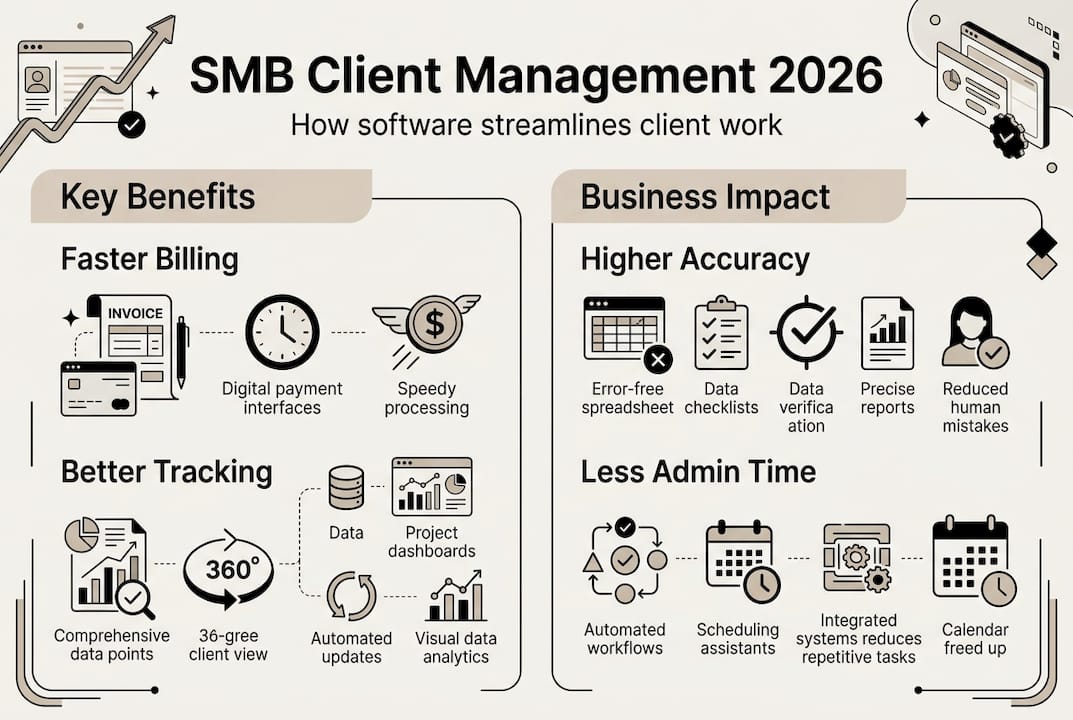
The financial impact extends beyond time savings. Accurate tracking prevents revenue leakage from unbilled hours or forgotten expenses. Automated reminders improve cash flow by reducing payment delays. Professional invoicing enhances brand perception and client confidence. These cumulative benefits create a competitive advantage that manual systems simply cannot match.
How QuickBooks integrates client management into accounting
QuickBooks delivers client management through features specifically designed for accounting professionals and service-based businesses. The platform’s architecture recognizes that client management and financial tracking are inseparable for SMBs. Free ProAdvisor access and client portals enhance efficiency by enabling secure document sharing and real-time collaboration.
Client portals transform how SMBs interact with customers. Instead of emailing sensitive financial documents back and forth, clients log into secure portals to view invoices, make payments, and access reports. This self-service model reduces administrative burden while improving client satisfaction through 24/7 access to their financial information. The portal also creates an audit trail, documenting every interaction and transaction for compliance purposes.
Trust liability tracking represents another critical feature for professional services firms. Law firms, real estate agencies, and other businesses holding client funds need meticulous separation between operating accounts and client money. QuickBooks enables this through dedicated sub-accounts that maintain clear boundaries and simplify reconciliation. The system flags discrepancies immediately, preventing commingling issues that could trigger regulatory violations.
For accountants managing 40 to 50 clients, QuickBooks streamlines workflows through these specific capabilities:
- Batch invoicing generates multiple client bills simultaneously using customizable templates
- Automated payment matching reconciles incoming payments against outstanding invoices without manual entry
- Class tracking segments revenue and expenses by client, project, or service line for granular profitability analysis
- Recurring transaction templates eliminate repetitive data entry for monthly retainers or subscription services
- Multi-user access enables team collaboration with customizable permission levels
The CPA firm edition includes additional tools for managing multiple client files simultaneously. Accountants switch between client companies seamlessly, applying consistent processes while maintaining data separation. The consolidated dashboard provides at-a-glance status updates across all clients, highlighting overdue invoices, pending reconciliations, or unusual transactions requiring attention.

Pro Tip: Set up client-specific job codes within QuickBooks to track profitability by individual engagement. This granular tracking reveals which clients generate healthy margins versus those consuming disproportionate resources.
However, limitations exist for specialized industries. Insurance agencies managing commission splits or businesses requiring advanced inventory tracking may find QuickBooks requires significant customization. The platform excels at standard accounting workflows but struggles with highly specialized operational requirements without third-party integrations or custom development.
Limitations and challenges of QuickBooks in client management
While QuickBooks provides robust accounting features, it lacks native CRM and document management capabilities that many businesses expect from comprehensive client management systems. The software focuses on financial transactions rather than relationship tracking, creating gaps for businesses needing detailed communication histories, sales pipeline management, or marketing automation.
Complex client accounting scenarios expose QuickBooks’ boundaries. SaaS companies tracking monthly recurring revenue with usage-based billing find the platform cumbersome. Nonprofit organizations managing multiple restricted fund accounts require workarounds that increase error risk. Software developers billing milestone-based projects with retainer holdbacks need custom configurations that demand accounting expertise to implement correctly.
| QuickBooks Strengths | QuickBooks Limitations |
|---|---|
| Excellent core accounting and invoicing | No built-in CRM for sales pipeline or lead tracking |
| Strong bank reconciliation and reporting | Limited document management requiring third-party storage |
| Trust liability tracking with proper setup | Complex industries like SaaS need extensive customization |
| Free ProAdvisor support and training | Manual reconciliation required for trust accounts |
| Cost-effective one-time desktop licenses | Steep learning curve for advanced features |
The manual reconciliation requirement for trust accounts represents a significant operational burden. Unlike automated bank feeds that match transactions instantly, trust liability tracking demands careful review to ensure client funds remain properly segregated. This process, while necessary for compliance, consumes time and creates opportunities for human error during busy periods.
Pro Tip: Create dedicated sub-accounts for each client’s trust liability on your balance sheet. This structure simplifies reconciliation and provides clear audit trails for regulatory reviews or client inquiries.
Document management presents another practical challenge. Businesses accumulate contracts, proposals, correspondence, and supporting documentation for each client relationship. QuickBooks stores basic attachments but lacks the robust document organization, version control, and search capabilities that dedicated document management systems provide. Most firms supplement QuickBooks with cloud storage solutions, creating workflow friction as staff toggle between multiple platforms.
“QuickBooks requires users to manually reconcile trust accounts monthly, and the learning curve for proper setup can be steep for firms without dedicated accounting staff. This limitation makes it challenging for growing practices to maintain compliance without significant time investment.”
The platform also struggles with industries requiring specialized billing models. Subscription businesses need automated renewal processing and proration calculations. Construction companies require job costing with change order tracking. Healthcare providers need insurance claim integration and patient payment plans. While workarounds exist, they typically involve third-party applications that add cost and complexity to the technology stack.
For consulting firms managing straightforward time and materials billing, these limitations rarely surface. However, businesses with unique operational requirements should carefully evaluate whether QuickBooks alone meets their needs or if a more specialized solution makes sense despite higher costs.
Maximizing client management: best practices and software pairing for SMBs
Strategic QuickBooks implementation combined with complementary tools creates a scalable client management system. Pairing QuickBooks with process outsourcing enables managing beyond 50 clients without proportionally increasing staff. The key lies in optimizing QuickBooks’ strengths while addressing its limitations through targeted integrations.
Start with proper chart of accounts structure. Create parent accounts for major categories, then establish sub-accounts for granular tracking. This hierarchy enables consolidated reporting while maintaining detailed visibility into specific revenue streams or expense types. Use consistent naming conventions across all clients to simplify batch processing and reduce confusion when switching between files.
Client data organization determines system efficiency. Establish standardized intake procedures that capture essential information consistently. Document billing terms, payment preferences, communication protocols, and service scope for every engagement. Store this information in QuickBooks’ customer notes field or a linked CRM system for easy reference. Consistent data entry eliminates confusion and ensures accurate invoicing from day one.
Implement these workflow optimizations to scale efficiently:
- Schedule recurring invoices for retainer clients to eliminate monthly billing tasks
- Set up automated payment reminders at 7, 14, and 30 days past due
- Use batch processing for common tasks like month-end reconciliations or financial statement generation
- Create custom reports that highlight key metrics for quick client status reviews
- Establish approval workflows for expenses or bill payments exceeding specified thresholds
Complementary software fills QuickBooks’ functional gaps without replacing its core accounting capabilities. Consider integrating these tool categories:
- CRM platforms like HubSpot or Salesforce for sales pipeline and communication tracking
- Project management tools such as Asana or Monday.com for deliverable coordination
- Document management systems like SharePoint or Dropbox Business for secure file storage
- Time tracking applications including Toggl or Harvest that sync directly to QuickBooks
- Payment processing solutions like Stripe or Square for seamless transaction capture
Pro Tip: Avoid the temptation to customize QuickBooks extensively for non-accounting functions. The platform excels at financial management but becomes unwieldy when forced into CRM or project management roles. Use purpose-built tools for those functions and maintain QuickBooks as your financial system of record.
Outsourcing bookkeeping functions creates capacity for strategic growth. Virtual bookkeepers handle transaction categorization, bank reconciliations, and routine data entry at lower costs than full-time staff. This approach allows business owners to focus on client service and business development while ensuring accurate financial records. The key is selecting outsourcing partners experienced with your industry and comfortable working within your QuickBooks environment.
For marketing agencies and recruitment agencies experiencing rapid growth, this hybrid model provides flexibility. Scale support up or down based on client volume without the commitment of permanent hires. Maintain control over client relationships and strategic decisions while delegating time-consuming administrative tasks to specialized providers.
Regularly audit your technology stack to eliminate redundant tools. Many businesses accumulate subscriptions over time, creating overlapping functionality that wastes money and confuses staff. Consolidate where possible, ensuring each tool serves a distinct purpose and integrates smoothly with QuickBooks as your financial hub.
Explore QuickBooks desktop solutions for client management
Transform your client management approach with QuickBooks Desktop editions designed specifically for professional services and accounting firms. The Desktop Pro & Enterprise 2024 versions deliver robust client tracking, invoicing automation, and financial reporting in a one-time purchase model that eliminates recurring subscription costs.
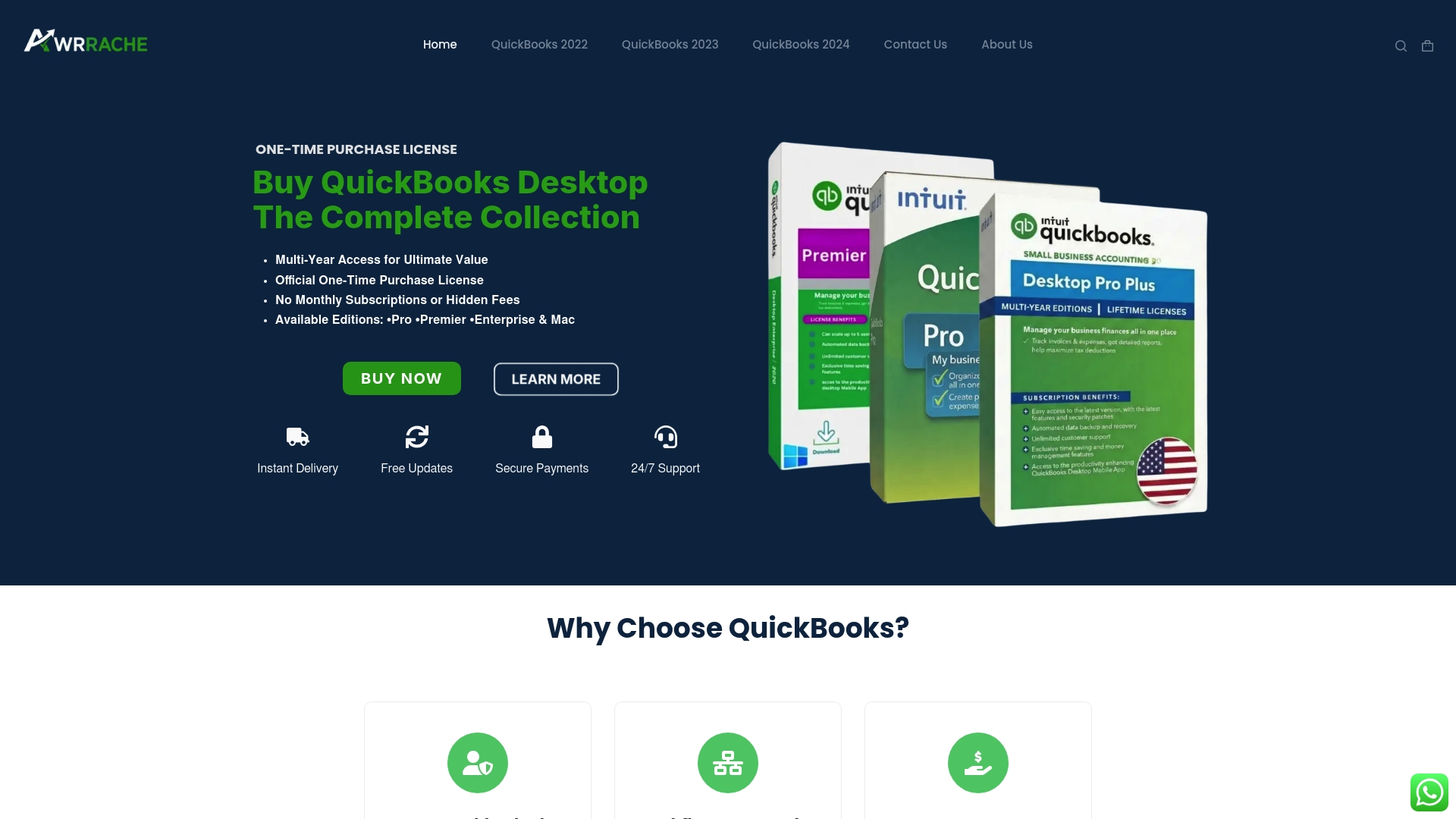
Specialized versions address unique industry requirements. CPA firms benefit from multi-client file management and consolidated reporting. Marketing and consulting agencies gain project-based billing capabilities with detailed profitability tracking. Each edition includes free updates, secure digital delivery, and 24/7 support to ensure smooth implementation and ongoing success.
Explore the complete range of QuickBooks products to identify the perfect fit for your business size and industry focus. Desktop licenses provide long-term value through perpetual access without monthly fees, making them ideal for established SMBs seeking predictable technology costs and enhanced client management capabilities.
Frequently asked questions about software in client management
How does QuickBooks improve client accounting accuracy?
QuickBooks eliminates manual data entry errors through automated bank feeds and transaction matching. The software validates entries against established rules, flagging inconsistencies immediately for review. Automated reconciliation ensures financial records match bank statements, while audit trails document every change for accountability and compliance.
Can QuickBooks handle complex client billing like SaaS subscriptions?
QuickBooks manages basic recurring billing but struggles with usage-based pricing or tiered subscription models. SaaS companies typically need specialized billing platforms like Chargebee or Stripe Billing that sync transaction data to QuickBooks. This integration approach maintains accurate financial records while supporting complex revenue recognition requirements.
What are alternatives if QuickBooks lacks needed CRM features?
Integrate dedicated CRM platforms like HubSpot, Salesforce, or Zoho CRM with QuickBooks to track sales pipelines and client communications. These tools sync customer data bidirectionally, ensuring contact information and transaction history remain consistent across systems. The integration preserves QuickBooks’ accounting strengths while adding robust relationship management capabilities.
How to scale client management as your SMB grows?
Combine QuickBooks with strategic outsourcing for bookkeeping and administrative tasks. Implement standardized workflows for client onboarding, invoicing, and reporting. Add complementary tools for functions QuickBooks doesn’t handle well, like project management or document storage. This modular approach scales efficiently without requiring complete system replacements as client volume increases.
Is QuickBooks suitable for non-accountants managing clients?
QuickBooks offers intuitive interfaces for basic invoicing and expense tracking that non-accountants can master quickly. However, advanced features like trust liability tracking or multi-entity consolidation require accounting knowledge. Most SMBs benefit from initial setup assistance and periodic reviews by accounting professionals to ensure proper configuration and compliance.
Recommended
- QuickBooks Desktop for Marketing Agencies | One-Time Purchase License | Awrrache Official
- QuickBooks Desktop for Consulting Firms | One-Time Purchase License | Awrrache Official
- QuickBooks Desktop for CPA Firms | One-Time Purchase License | Awrrache Official
- QuickBooks Desktop for Business Consultants | One-Time Purchase License | Awrrache Official